Every game starts as an idea in someone's head, and ideas are slippery. A game design document (GDD) turns that idea into something you can see, share and build from. It keeps a solo developer focused and keeps a team building the same game.
This guide gives you a free game design document template you can copy right now, explains what each section is for, shows a one-page example and shares tips to keep your GDD useful instead of forgotten.
What is a game design document?
A game design document is a written plan that describes a game: what it is, how it plays, what it looks and sounds like, and what needs to be built. Think of it as the blueprint for your game.
A GDD answers questions like:
- What is the game in one sentence?
- What does the player actually do, moment to moment?
- What are the rules, and how do you win or lose?
- What will it look and sound like?
- What exactly needs to be built, and what counts as "done"?
Studios have used design documents for decades. The design document for the original Doom, written by Tom Hall and known as the "Doom Bible", is one of the most famous examples that's publicly available today.
Do you really need a GDD?
For almost every project, yes, but it doesn't have to be long. Here's why it's worth the effort:
- It exposes problems early. Writing forces you to decide things you'd otherwise leave vague, like what happens when the player dies.
- It protects you from scope creep. When a shiny new feature idea arrives, you can check whether it supports the core of the game.
- It keeps a team aligned. Artists, programmers and designers all work from the same plan.
- It helps you pitch. Publishers, investors and game jam teammates understand your game faster.
The key is choosing the right size of document for your project.
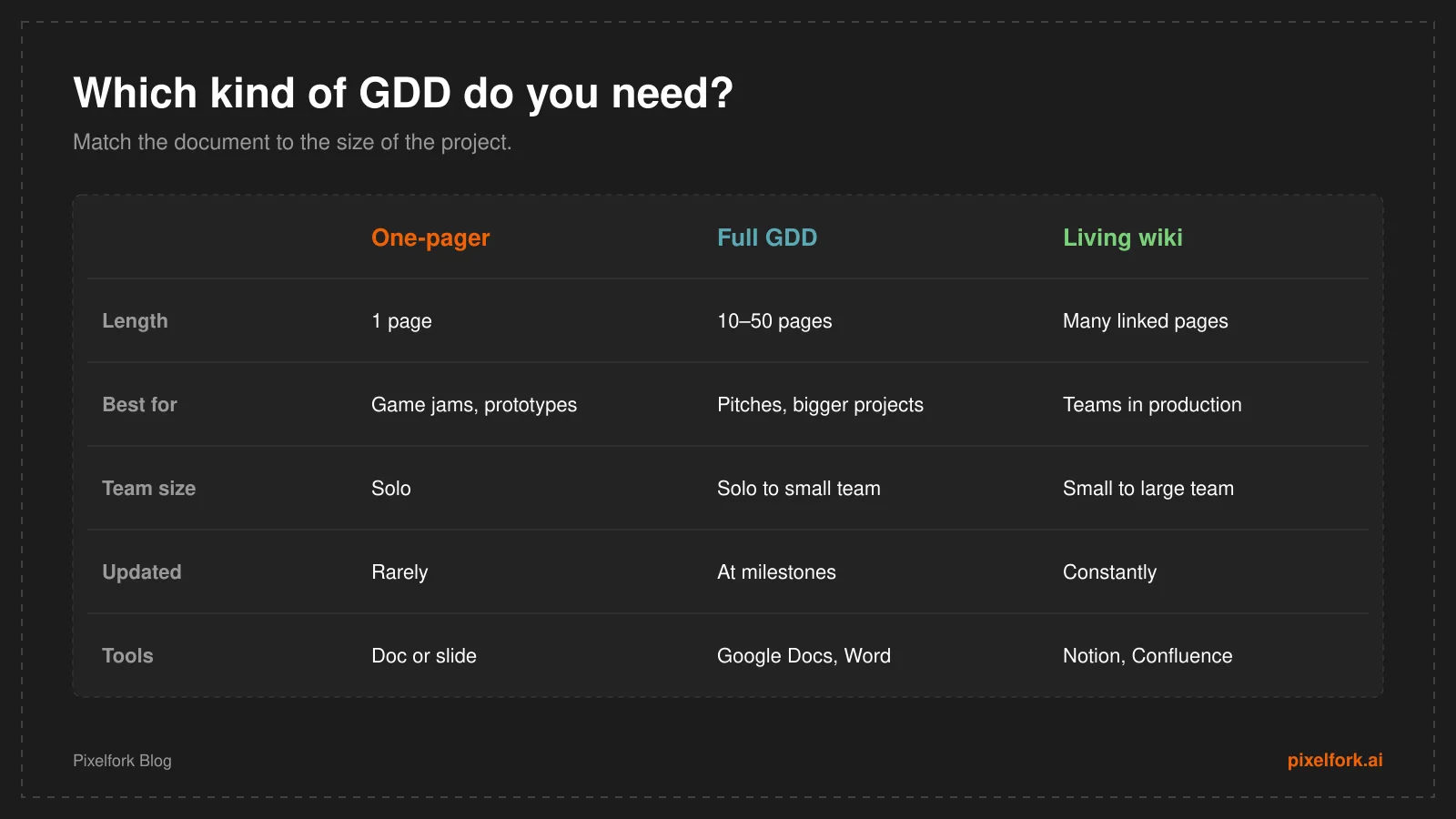
One-pagers for small games, fuller documents as projects grow.
What to include in a game design document
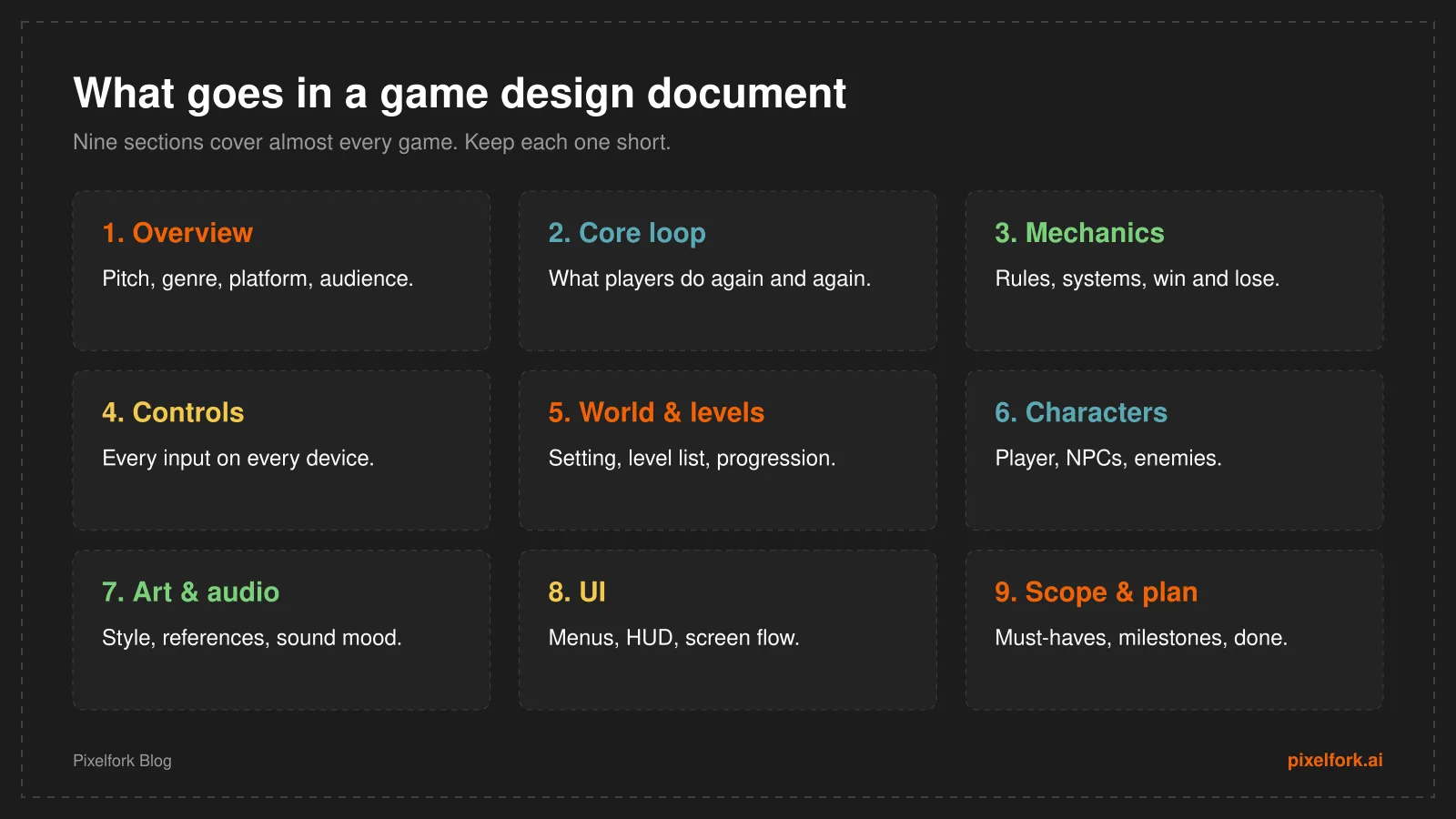
The nine sections of a practical game design document.
1. Overview
The one-minute summary. Include a one-sentence pitch, genre, target platforms, target audience and two or three games that are similar in spirit (for example, "Celeste meets Tetris"). If someone only reads this section, they should understand the game.
2. Core gameplay loop
Describe the action players repeat most, and why it's satisfying. For example: explore → collect resources → craft upgrades → explore further. This is the heart of the document, and every other section should support it.
3. Mechanics and rules
List the systems in the game: movement, combat, crafting, scoring, progression. Explain the rules clearly, including how players win, lose and fail. Be specific with numbers where they matter, and mark them as "to be tuned".
4. Controls
A simple table of every action and its input on each platform: keyboard, gamepad and touch. This section is often forgotten, and it shapes the whole feel of a game.
5. World, story and levels
Describe the setting and any story. List the levels or areas, what each introduces and how difficulty progresses. A rough level map or sketch is worth more than paragraphs of text.
6. Characters
The player character, NPCs and enemies: what each does, how they behave and how they look. For NPCs, note their role in the game. Our explainer on what an NPC is covers the common types.
7. Art and audio direction
The visual style, color palette and reference images, plus the mood of the music and sound effects. Reference boards help everyone picture the same game. If you're considering pixel art, see our pixel art for games guide.
8. User interface
The screens players move through (title screen, level select, pause menu, game over) and what the in-game HUD shows, like health, score or a minimap.
9. Scope, milestones and definition of done
The most important section for actually finishing. List must-have features, nice-to-have features and what you're deliberately not building. Then set milestones, like prototype, first playable, content complete and launch.
Free game design document template
Copy this template into Google Docs, Notion, Word or any editor, then replace the prompts with your own answers. Delete sections your game doesn't need.
GAME DESIGN DOCUMENT
Game title:
Version / date:
Author(s):

1. OVERVIEW
- One-sentence pitch:
- Genre:
- Platform(s):
- Target audience:
- Similar games (and what's different about ours):
- Unique selling points (max 3):

2. CORE GAMEPLAY LOOP
- What the player does again and again:
- Why it's satisfying:
- Session length (e.g. 3-minute runs, 30-minute sessions):

3. MECHANICS AND RULES
- Player abilities:
- Main systems (combat, crafting, scoring, etc.):
- Win condition:
- Lose / fail condition:
- Progression (what unlocks, and when):

4. CONTROLS
| Action | Keyboard/mouse | Gamepad | Touch |
|--------|----------------|---------|-------|
|        |                |         |       |

5. WORLD, STORY AND LEVELS
- Setting:
- Story summary (if any):
- Level / area list, with what each introduces:
- Difficulty curve:

6. CHARACTERS
- Player character:
- NPCs (role, behavior):
- Enemies (behavior, how to beat them):

7. ART AND AUDIO
- Art style + reference images:
- Color palette:
- Music mood:
- Key sound effects:

8. USER INTERFACE
- Screen flow (title > menu > game > results):
- HUD elements:

9. MONETIZATION (if any)
- Model (premium, ads, in-app purchases):
- What players can buy, and why it stays fair:

10. SCOPE AND PLAN
- Must-have features:
- Nice-to-have features:
- Not doing (on purpose):
- Milestones and dates:
- Definition of done:

11. OPEN QUESTIONS AND CHANGELOG
- Questions to answer through playtesting:
- Changes since last version:
Example: a one-page game design document
For small games and game jams, a single page is often enough. Here's what a one-page GDD for a small platformer might look like:
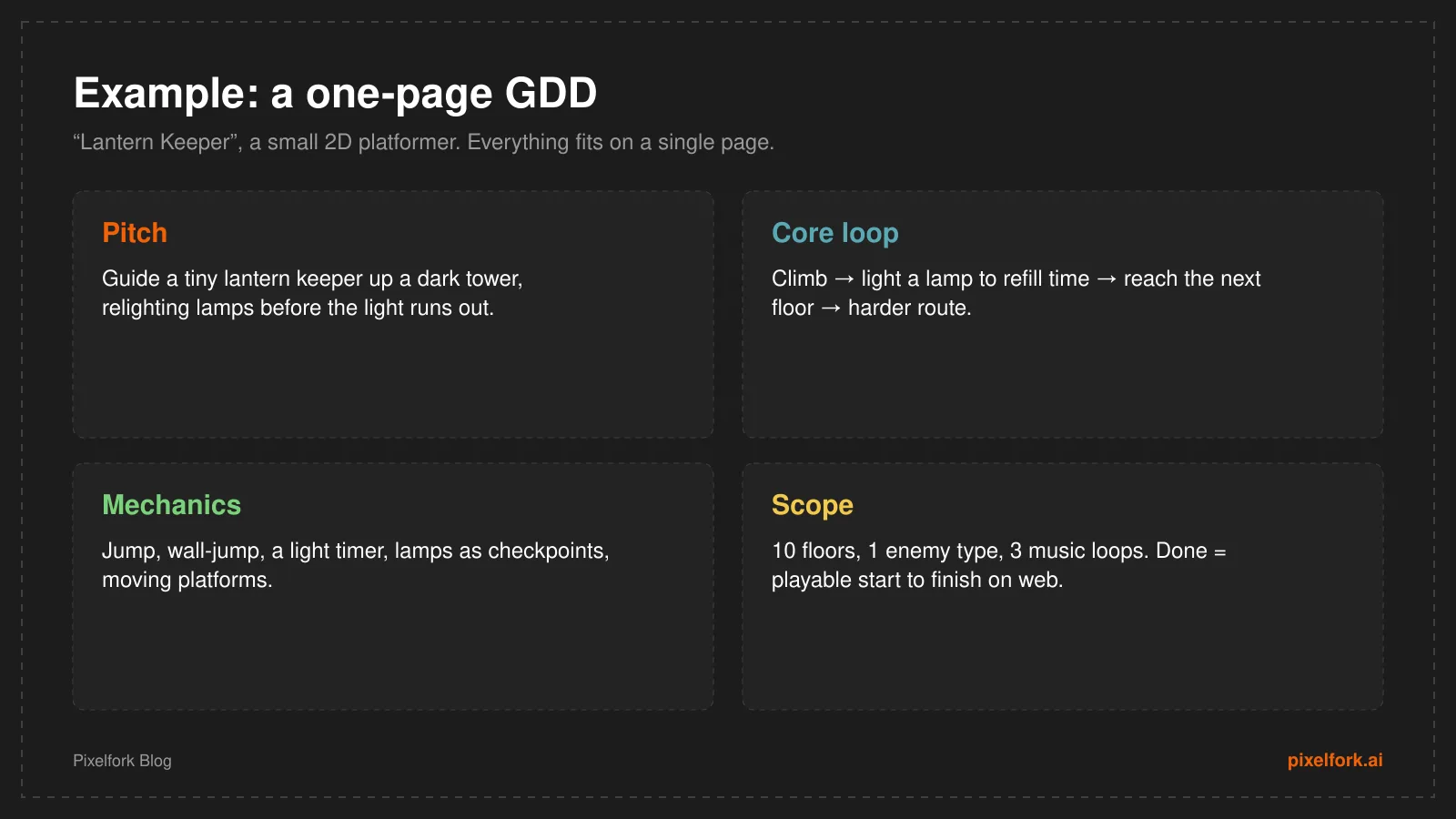
A complete one-page GDD for a small 2D platformer.
Notice what makes it work: a clear pitch, a core loop you can picture, specific mechanics and a firm, realistic scope with a clear definition of done.
Tips for writing a GDD people actually use
- Start with a one-pager. Expand only when the project needs it.
- Show, don't just tell. Sketches, diagrams, reference images and GIFs beat long paragraphs.
- Be specific. "Fun combat" means nothing. "Three-hit combo with a dodge that has a short cooldown" can be built and tested.
- Keep it alive. Update the document when playtests change the design, and keep a short changelog at the bottom.
- Make it easy to find things. Use headings, a table of contents and links between sections.
- Write for the reader. A programmer needs rules and numbers. An artist needs references and mood.
- Separate facts from ideas. Mark what's decided and what's still an open question.
Common GDD mistakes
- Writing a novel. Nobody reads 100 pages. Long documents go stale quickly.
- Writing it once and never touching it again. A design document that doesn't match the game is worse than none.
- Designing features instead of experiences. Always connect features back to what the player feels and does.
- Skipping scope. Without a "not doing" list, every idea sneaks in.
GDD tools
You don't need special software. Popular choices are:
- Google Docs or Word for a classic single document.
- Notion or Confluence for a wiki-style design doc with linked pages.
- Miro or FigJam for flowcharts, level maps and mood boards.
- Trello, Jira or GitHub Projects to turn the scope section into tasks.
FAQ
What is a game design document?
A game design document (GDD) is a written plan that describes a game's concept, gameplay, mechanics, story, art, audio, interface and scope. It guides the team while the game is built.
How long should a game design document be?
As short as possible while still being useful. One page is enough for game jams and small games. Larger projects may need 10–50 pages or a wiki of linked pages.
Do indie developers use GDDs?
Yes. Many indie developers use short, living design documents, often a one-pager or a Notion page, to stay focused and avoid scope creep.
What's the most important part of a GDD?
The overview and core gameplay loop explain what the game is, and the scope section makes sure it gets finished. If you only write three sections, write those.
Is there a free game design document template?
Yes, you can copy the template in this article into any editor and adapt it to your game.
Next, bring your design to life: follow our guide on how to make a video game, or build it right away on Pixelfork.