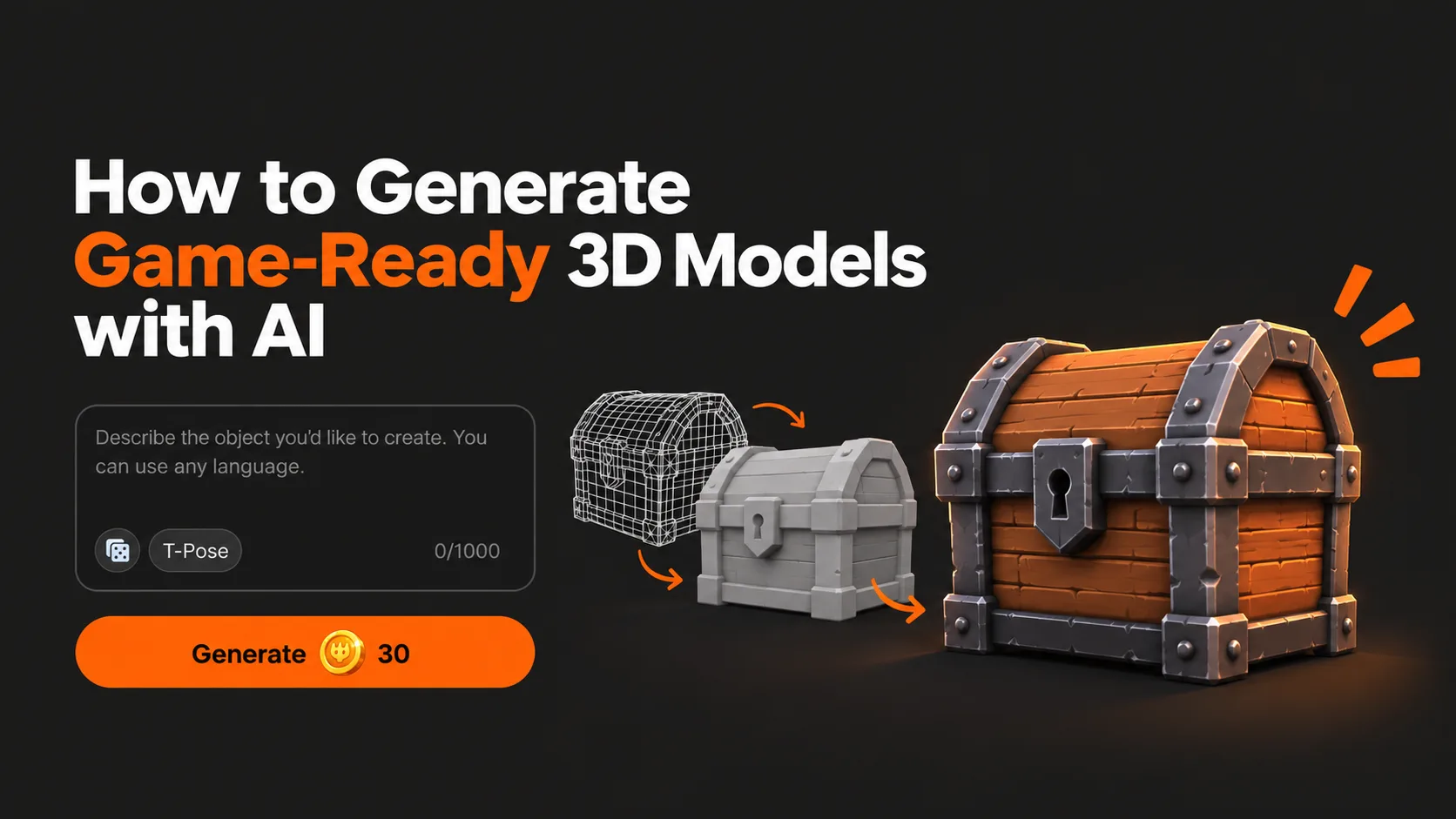
An AI 3D model generator can turn a simple text prompt or reference image into a usable 3D asset in minutes. With Pixelfork, you can generate game-ready 3D models and bring them directly into your game development workflow.
Creating 3D assets has traditionally been one of the most time-consuming parts of game development.
You need to model the object, create UVs, generate textures, optimize the geometry, export it in the right format, import it into your engine, and then make sure it actually works inside the game.
AI is changing that workflow.
Today, you can describe an object in a few words, generate a 3D model, and start using it in your game within minutes. But there is an important difference between generating a 3D model and generating a game-ready 3D model.
In this guide, we will explain how AI-generated 3D assets work, what makes a model game-ready, and how you can generate and use 3D models directly inside Pixelfork 3D Model Generator Platform.
What Is AI 3D Model Generation?
AI 3D generation allows you to create three-dimensional objects from simple inputs such as:
Text prompts
Reference images
Concept art
Existing game assets
Instead of manually modeling an object vertex by vertex, you can simply describe what you need.
For example:
Low-poly medieval wooden treasure chest with iron details, slightly stylized, game-ready proportions.
An AI model can interpret that description and generate a complete 3D object based on it.
This makes 3D creation dramatically more accessible, especially for indie developers, designers, prototypers, and developers who do not have years of experience with tools such as Blender or Maya.
Generating a 3D Model Is Only Half the Job
A beautiful 3D model is not automatically suitable for a game.
Games need to render dozens, hundreds, or sometimes thousands of objects in real time. Every asset affects performance.
A game-ready 3D model should therefore have several important characteristics.
Reasonable Polygon Count
Extremely dense geometry can significantly reduce performance.
For a cinematic render, millions of polygons might be acceptable.
For a real-time game, they usually are not.
The ideal polygon count depends on how important the object is, how close the camera gets to it, and what platform you are targeting.
A background rock might only need a few hundred polygons, while a hero character or vehicle may require significantly more detail.
Clean Geometry
Good topology makes models easier to animate, optimize, modify, and render.
AI-generated models can sometimes contain unnecessary geometry or unusual topology, so checking the mesh before using it in production is still useful.
For prototypes, however, modern AI-generated assets are often usable immediately.
Proper Textures and Materials
Geometry is only part of the visual result.
Materials determine how an object interacts with light.
A typical game asset may use several PBR texture maps:
Base Color defines the visible surface color.
Normal Map adds small surface details without increasing geometry.
Roughness determines whether a material looks glossy or rough.
Metallic controls whether the material behaves like metal.
Ambient Occlusion helps create subtle depth around corners and creases.
A properly textured lower-poly model can often look better than a highly detailed model with poor materials.
How to Generate 3D Models with Pixelfork
Pixelfork includes its own AI-powered 3D model generation system directly inside the game creation workflow.
Instead of generating assets somewhere else, downloading them, converting formats, importing them into your project, and manually wiring everything together, you can create assets while building your game.
The workflow is simple.
1. Describe the Model You Need
Start by describing the object.
For example:
Stylized low-poly red sports car with black windows and simple wheels.
Or:
Abandoned sci-fi cargo container with damaged metal panels and orange warning markings.
You can describe the visual style, materials, proportions, colors, and intended use.
The more specific the prompt is, the easier it is for the generator to understand what you want.
2. Generate the 3D Asset
Pixelfork generates the model based on your description.
Instead of starting from an empty scene in traditional modeling software, you begin with an actual asset that you can immediately evaluate.
You can then decide whether the model already fits your game or whether you want to generate another variation.
3. Add It Directly to Your Game
This is where Pixelfork's workflow becomes particularly useful.
The generated model is not just an isolated 3D experiment.
You are already inside a game development environment.
You can use the generated object as part of the scene and continue building the game around it.
For example, you could ask Pixelfork:
Generate a low-poly wooden barrel and place five of them next to the warehouse.
Then continue:
Make the barrels destructible when the player shoots them.
The asset generation process becomes part of the game development conversation.
Text-to-3D vs Image-to-3D
There are two particularly useful workflows when generating AI assets.
Text-to-3D
Text-to-3D is perfect when you have an idea but no existing visual reference.
You describe what you want and allow the AI to interpret it.
For example:
Small fantasy potion bottle with purple glowing liquid, silver cap, stylized RPG art style.
This workflow is extremely fast for prototyping.
You can experiment with enemies, props, weapons, furniture, vehicles, environmental objects, and collectibles without preparing concept art first.
Image-to-3D
Sometimes you already know exactly what the object should look like.
In that situation, starting from an image can provide more visual control.
You might generate a concept image first and then transform that reference into a 3D model.
This creates an interesting AI workflow:
Idea → Image → 3D Model → Game
For developers who care about a consistent art direction, this can be especially powerful.
You can establish a visual style using images and then generate 3D assets that follow the same direction.
How to Write Better Prompts for AI 3D Models
Good prompts make a major difference.
Instead of writing:
car
Try:
Compact stylized rally car, low-poly game asset, chunky proportions, white body with orange racing details, black windows, simple geometry.
A strong prompt usually contains several pieces of information:
Object: What are you creating?
Style: Realistic, stylized, cartoon, low-poly, sci-fi, medieval, etc.
Materials: Wood, metal, plastic, stone, glass, fabric.
Colors: Important colors or patterns.
Shape: Long, compact, rounded, damaged, exaggerated.
Use case: Background asset, collectible, vehicle, weapon, environment prop.
For example:
Stylized low-poly medieval shield, round wooden body, dark iron rim, red painted symbol in the center, slightly damaged, game asset.
This gives the generator much more information than simply requesting a shield.
Start Simple
One of the biggest mistakes when experimenting with AI 3D generation is trying to create something extremely complicated immediately.
Simple objects generally provide much more predictable results.
Good starting assets include:
Crates
Barrels
Rocks
Trees
Furniture
Weapons
Vehicles
Buildings
Signs
Coins
Collectibles
Environmental props
Once you understand how the generator interprets your prompts, you can start creating more complex objects.
Build an Entire Game World with AI
The biggest opportunity is not generating a single model.
It is generating an entire library of assets around a consistent game idea.
Imagine building a post-apocalyptic driving game.
You could generate:
Abandoned cars
Road barriers
Fuel tanks
Rusted signs
Broken street lights
Shipping containers
Desert rocks
Industrial buildings
Vehicle upgrades
Instead of spending days searching asset marketplaces for objects that approximately match your style, you can create assets specifically for your game.
And because Pixelfork combines AI game development with AI asset generation, you can continue from asset creation directly into gameplay.
You might start with:
Generate a rusty fuel canister.
Then:
Place fuel canisters randomly along the highway.
Then:
Let the player collect them to restore 25% fuel.
At that point, you are no longer simply generating 3D models.
You are building a game.
AI Will Not Replace Art Direction
AI makes asset production much faster, but good games still need a consistent visual identity.
If every model uses completely different proportions, materials, colors, and levels of detail, the final game can feel inconsistent.
Before generating dozens of assets, define some basic rules.
For example:
Low-poly aesthetic
Slightly exaggerated proportions
Warm colors
Minimal texture noise
Soft edges
Simple materials
Then reuse those characteristics in your prompts.
This gives your AI-generated assets a much stronger sense of belonging to the same world.
Use AI for Prototyping First
AI-generated 3D assets are especially powerful during prototyping.
Traditionally, developers often use gray boxes, cubes, and placeholder assets while testing a game.
AI allows prototypes to look dramatically closer to the final vision.
Instead of driving a gray cube during development, you can generate a temporary rally car.
Instead of fighting capsules, you can generate enemies.
Instead of using cubes as buildings, you can create an entire environment.
This makes prototypes easier to understand, test, demonstrate, and share.
It can also make it much easier to communicate your idea to teammates, players, investors, or publishers.
The Future of Game Asset Creation
Game development is gradually moving away from workflows where every individual asset must be manually produced before anything can be tested.
AI makes the process increasingly iterative.
You describe something.
You generate it.
You test it.
You change it.
You generate another version.
And you continue building.
The distance between having an idea and seeing that idea inside a playable game is becoming much smaller.
Pixelfork is built around that idea.
Instead of treating code generation, game development, image generation, and 3D asset creation as completely separate workflows, Pixelfork brings them together.
You can create the game, generate the assets, modify the mechanics, and continue iterating by talking to AI.
Generate Your First 3D Model with Pixelfork
You do not need to spend hours modeling your first object.
Open Pixelfork, describe the asset you need, generate it, and start building your game around it.
Your next 3D model might begin with nothing more than a sentence.