The Beginner’s Guide to Pixelfork Game Development: Build, Export, and Save Credits
Jumpstart your Pixelfork game development journey: create HTML5 prototypes, manage credits efficiently, and export Android APKs directly to stores.

Play to Pixelfork’s Strengths for Fast Prototyping
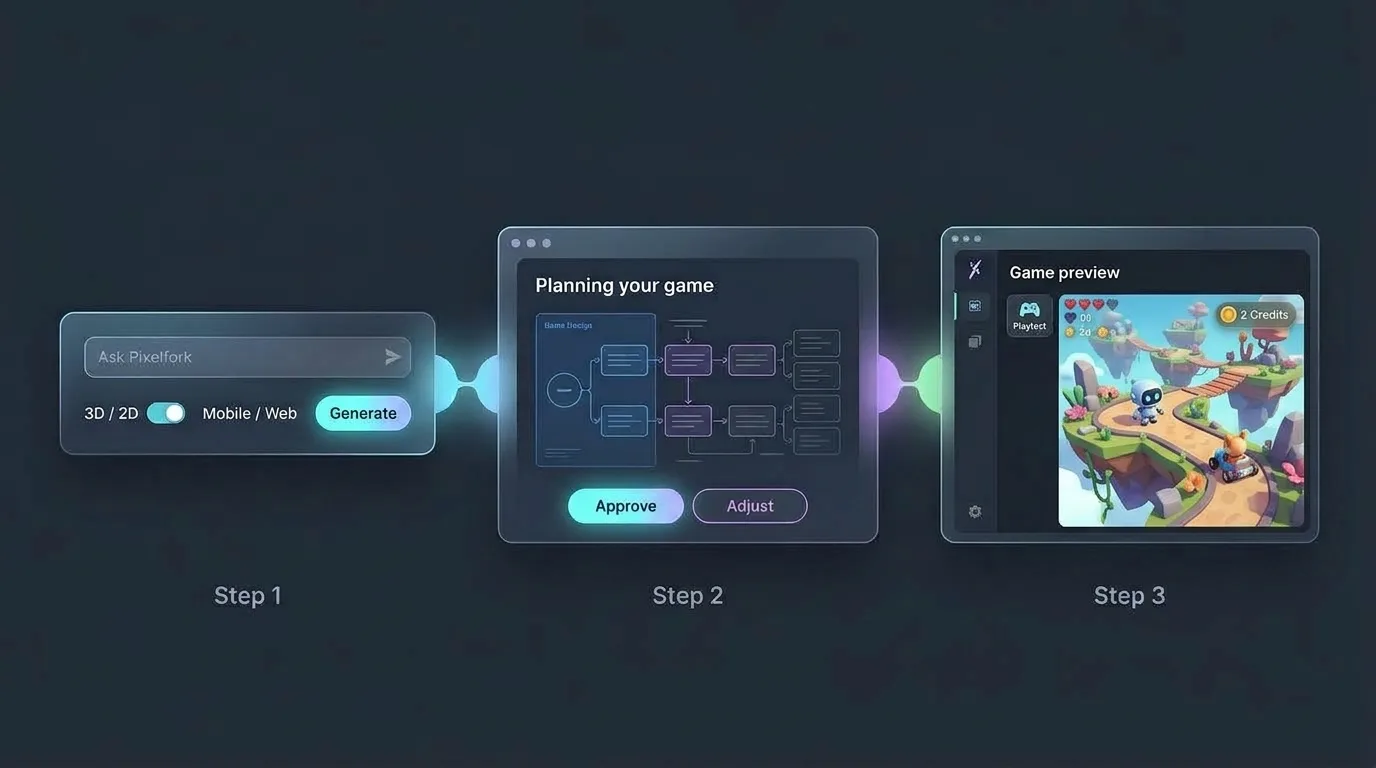
Getting started with Pixelfork game development offers an unmatched advantage: pure turnaround speed. In just a few clicks, you can spin up a fully functioning browser game in seconds, export directly to an Android build (APK / AAB) or Android Studio project, and download a Project ZIP to publish straight to itch.io as an HTML5 game.
The secret to mastering this platform is keeping your scope focused. Rather than attempting a massive, complex epic on day one, concentrate on responsive, satisfying, and addictive mini-games.
Because Pixelfork builds projects using clean HTML and JavaScript, titles like fast-paced racers or intuitive puzzle games—mechanics that feel natural and tactile on mobile touchscreens—are in its sweet spot. Provide your initial text prompt and watch your idea come alive.
Pixelfork Game Development Tips: Stretch Your Credits
Experimentation is at the heart of game development, but you do not need to burn through credits to polish your build. Here are two insider techniques to maximize your workflow:
Roll back instantly with Version History: If an AI iteration steers your gameplay off track, avoid spending credits asking the AI to diagnose the code in chat. Jump directly to your Version History and restore the last working build. Starting from a reliable save point costs zero credits.
Make fine tweaks in [Game Mechanics] or the [Code Editor] for free: Pixelfork features an integrated code and mechanics editor where manual adjustments never consume credits. Changing variable values, such as bumping
speed = 5tospeed = 10, takes seconds and costs nothing.
For a deeper breakdown of credit allocations across tiers, check our guide on Understanding Credits.
Refine Ideas in the AI Chat Before You Build
When you want to evolve your gameplay but feel unsure about the exact direction, brainstorm first inside the AI chat interface. General conversational prompts do not consume generation credits.
Use this free space to outline logic, discuss control schemes, and finalize your concept. Once you have a clear plan, submit your updated generation prompt with confidence. If you need answers to common questions about your account, check out our Pixelfork FAQ.
From Concept to Launch: Your Complete Roadmap
Building games with AI functions like a creative treasure hunt. After a few iterations, you will discover that breakthrough mechanic that feels genuinely fun to play.
Pixelfork maps out a straightforward path from raw idea to published title:
Generate your initial core prototype and identify your standout concept.
Share a lightweight web link for friends and community playtesters.
Refine control responsiveness in the editor, then export your game as an APK or AAB.
Distribute your release across marketplaces like Google Play or itch.io.
Drop your first prompt into Pixelfork today and see how fast your concept takes shape!