Use a Playable Link as Your Play Store Landing Page
A web playable turns “download and see” into “try it now”. Here's how to publish one, put it on your own domain, and use it as the top of your Play Store funnel.
Asking someone to install a 60 MB app from a stranger is a big ask. Asking them to tap a link and play for thirty seconds isn't. That's the whole argument for a playable game landing page: let people try the game in a browser, then send the ones who enjoyed it to your store listing.
This guide covers publishing a playable link, putting it on a domain you own, and wiring it into a simple funnel that ends at Google Play.
Why a playable landing page helps indies
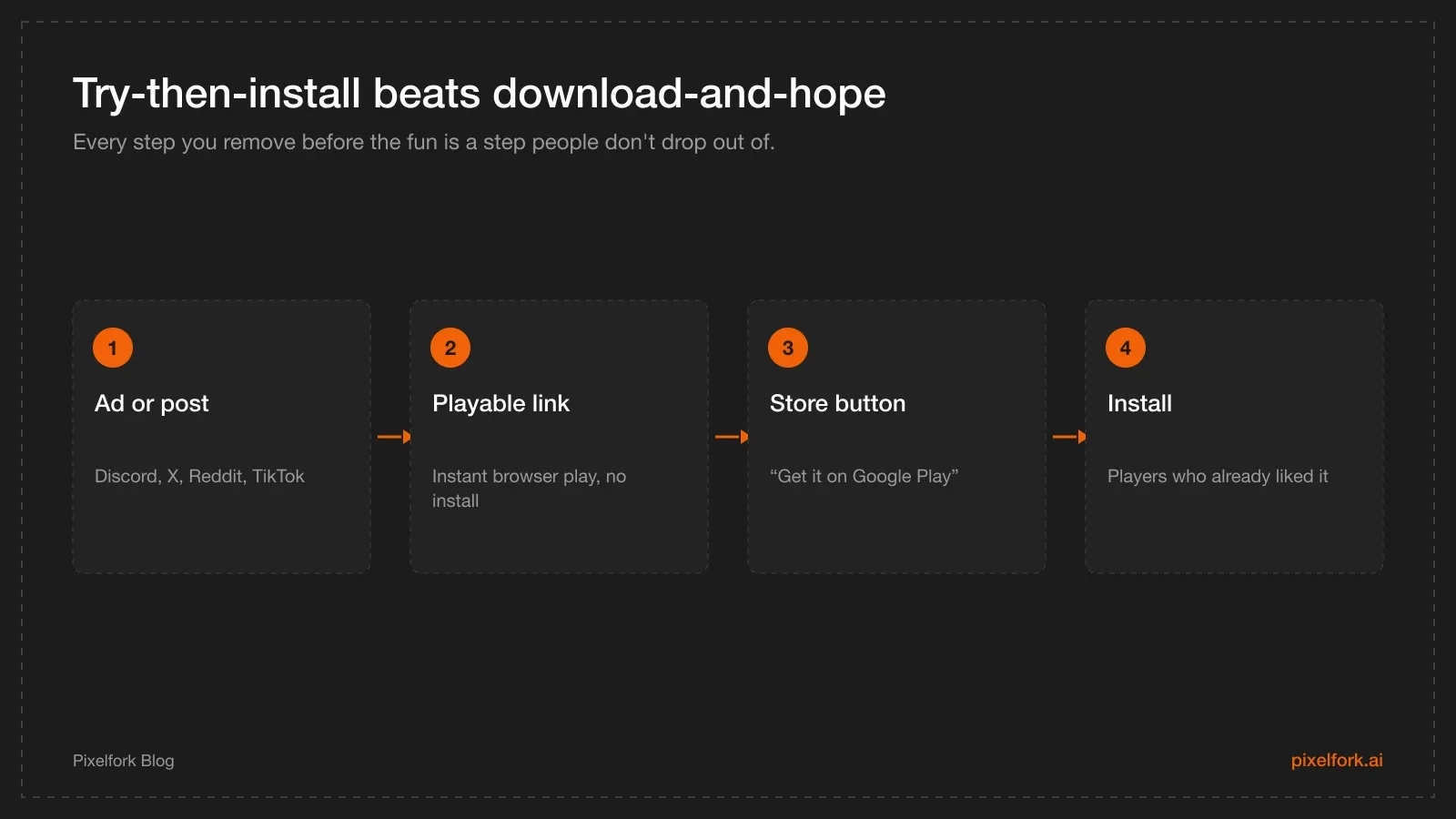
The web demo does the convincing; the store does the installing.
- Ads and social posts convert better when the click leads to play, not to a store page and a download bar.
- Feedback arrives faster. Testers don't need an APK, an opt-in link or a Play account — they tap and tell you what felt off.
- Investor and publisher demos stop being a scheduling problem. Send a URL that works on their phone.
- Community channels love a link. Discord, Reddit and X threads reward things people can try immediately.
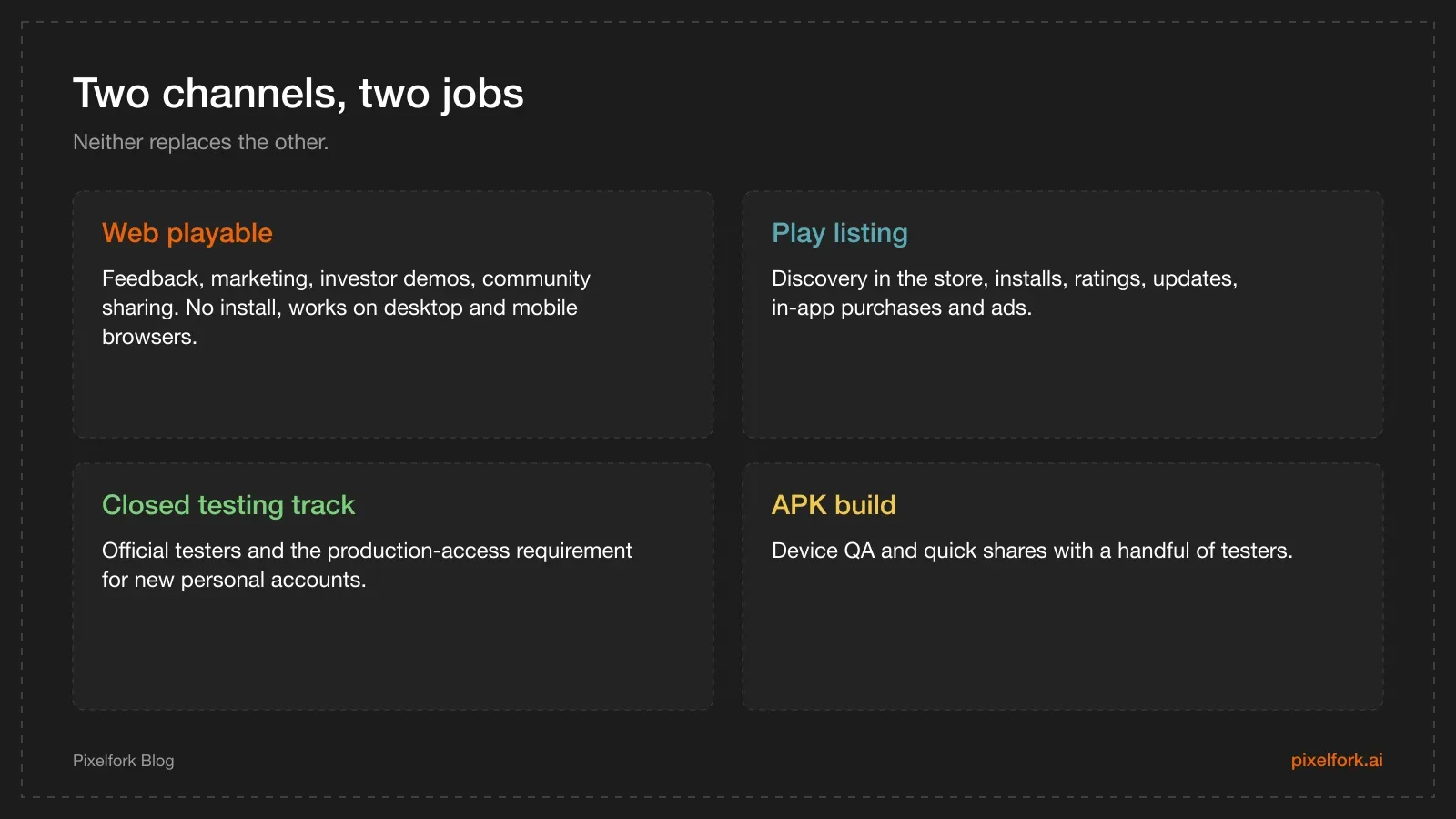
What each channel is actually for.
Publishing the playable link
In Pixelfork, hit Publish in the top-right of the editor. You get a public URL at pixelfork.ai/publish/… that anyone can open and play instantly — no account, no download, on desktop and mobile browsers alike. Publishing doesn't consume credits.
The important detail for marketing: republishing keeps the same URL. Ship a change, hit Publish again, and everyone who already has the link sees the new version. You can print that link on a sticker without regretting it next week.
Connecting a custom domain
On the Pro plan you can serve the game from a domain you own, which makes it feel like a product rather than a project.
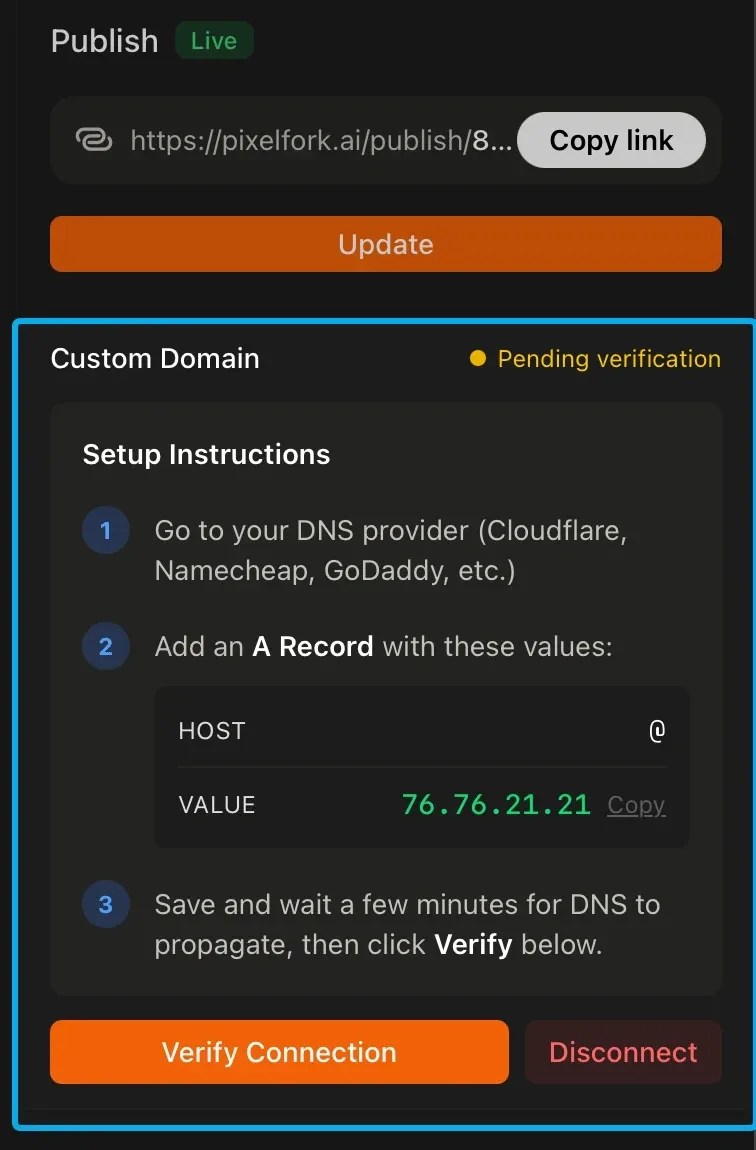
The publish panel with the custom domain setup and its A record value. Screenshot: Pixelfork publish panel.
The setup, from the custom domain docs:
- Go to your domain registrar or DNS provider (Cloudflare, Namecheap, GoDaddy and so on).
- Add an A record:
- For the root domain — Host:
@, Value:76.76.21.21 - For a subdomain — Host:
game(or whatever you like), Value:76.76.21.21
- For the root domain — Host:
- Save, then return to the editor and verify the connection.
DNS changes can take a few minutes to 24 hours to propagate. If verification fails immediately, wait and try again rather than changing the record repeatedly.
A subdomain is usually the smarter choice: game.yourstudio.com keeps your main site free for everything else, and you can point more subdomains at future titles.
Anatomy of a minimal landing page
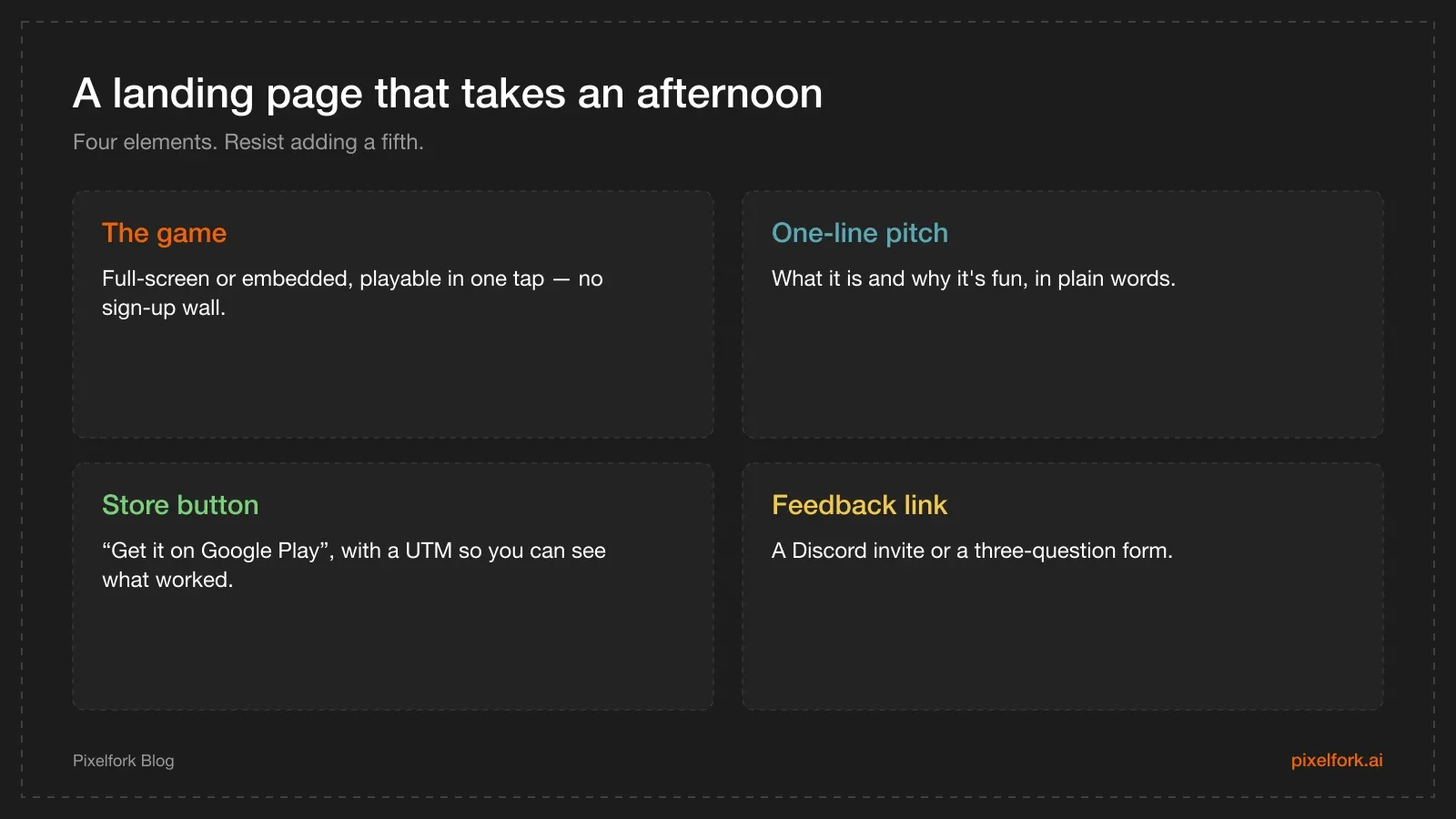
Four elements, no more.
Resist the urge to build a marketing site. The playable is the marketing. If you want the store button to sit next to the game rather than on a separate page, put the game full-screen on your domain and keep the store link in the game's own menu or game-over screen — players see it right after the moment they enjoyed themselves.
Add a UTM parameter to the Play link (?utm_source=web-demo) so your Play Console acquisition reports can tell you how much the demo contributed.
Keeping the web demo and the store build aligned
- Same core loop, same look. If the demo teaches one control scheme and the app uses another, you've trained players wrong.
- Expect some differences. Native features added after an Android Studio export — ads, in-app purchases, push — only exist in the Android build. Keep the web demo free of anything that implies them.
- Republish when the game meaningfully changes. A stale demo is worse than no demo.
- Mention the platform. If the store build is Android-only for now, say so on the page. iPhone users tapping a Play link is a bad first impression.
Using it alongside Play Console
The web playable is your open feedback channel; the Play testing tracks are the official ones. During closed testing, the link is a great way to attract people who might become testers — but the 12-tester, 14-day requirement counts opted-in testers on the track, not web players.
When you're live, the funnel is simply: post → play → install.
A campaign checklist
Once the playable is on a domain you own, the funnel is only as good as the links pointing into it:
- UTM tags on every outbound link, so you can tell which channel sent players who actually installed:
?utm_source=discord&utm_medium=post&utm_campaign=launch. - A QR code for anything physical or on-screen — meetups, a stream overlay, a conference badge. Phone cameras handle these natively.
- A pinned post on each community you're active in, updated whenever the game changes.
- Open Graph preview. Check what your link looks like when pasted into Discord, X and WhatsApp — a broken preview halves the clicks.
- One link, everywhere. Republishing keeps the same URL, so the link you posted last month still shows the newest build.
What to write on the page
If you build a small page around the game rather than serving the game full-screen, keep it to four blocks:
- The game itself, playable in one tap, above the fold.
- One sentence that says what it is: "A one-thumb runner about dodging traffic at rush hour."
- A store button if the Android build is live, or an email field if it isn't yet.
- A feedback link — Discord invite or a three-question form.
Resist adding a features list, a roadmap or a press kit until someone asks for one. The playable is the pitch.
Measuring what actually works
You don't need an analytics stack to learn something useful:
- Play Console acquisition reports show which sources led to installs, which is exactly what the UTM tags feed.
- Link click counts from the platform you posted on tell you the top of the funnel.
- The ratio between them is the number that matters: lots of clicks and few installs usually means the first 15 seconds of the game aren't landing, not that the button is in the wrong place.
- Watch someone play from the link, in person or on a call, at least once. It beats every dashboard.
Mistakes worth avoiding
- Gating the demo. An email wall before play removes the entire advantage of a web playable.
- A desktop-only layout. Most links are opened on a phone. Test yours there first.
- A stale build. If the demo is two months behind the store version, you're advertising an old game.
- Sending iPhone users to a Play link. Say which platforms the installable build supports.
- Treating the domain as SEO. A custom domain is for branding and trust; it doesn't rank your store listing. Ranking comes from your listing text, store assets and reviews — plus content like this blog.
When not to use a web demo
A playable link isn't always the right call:
- If the game leans on native features — notifications, purchases, leaderboards — a web demo shows a partial product.
- If performance only holds on a real build, a slow browser version sells the game short.
- If the loop isn't fun yet. A demo is a permanent first impression for anyone who tries it; send it when it's ready, not when it's merely working.
In those cases, use a short video and a Play testing invite instead, and publish the playable once it represents the game you want people to judge.
FAQ
Can players play without installing anything?
Yes. A published playable link opens in a normal browser on desktop or mobile — no account, no download, no install. That's what makes it good at the top of a funnel.
Does the link change every time I publish?
No. Republishing updates the game at the same URL, so links you've already shared keep working and always show the latest version.
What plan do I need for a custom domain?
Custom domains are a Pro feature. The playable link itself is available without one, at a pixelfork.ai/publish/… URL.
Can I put the playable link inside my Play Store listing?
Your store listing can include a website URL, and you can link to the demo from your own site, social posts and ads. The listing itself isn't a place to embed a playable — use the link as the destination of your marketing instead.
Is a custom domain required to publish on Google Play?
No. A domain is about branding and marketing. Play needs your app bundle, store assets and a privacy policy URL — which can live on any page you control.
Should testers use the mobile browser or an APK?
Use the browser link for quick, broad feedback, and an APK for device testing where touch feel, performance and first-launch behaviour matter. For Google's testing requirement, testers must install through the Play testing track.
Publish a playable, point a domain at it if you're on Pro, and make "try it" the first thing people can do: build your game on Pixelfork.