Make an Endless Runner with AI (No Coding)
A mobile-first walkthrough: the prompt that gets a runner on the first try, the feel values that matter, and how to get it onto a real Android phone.
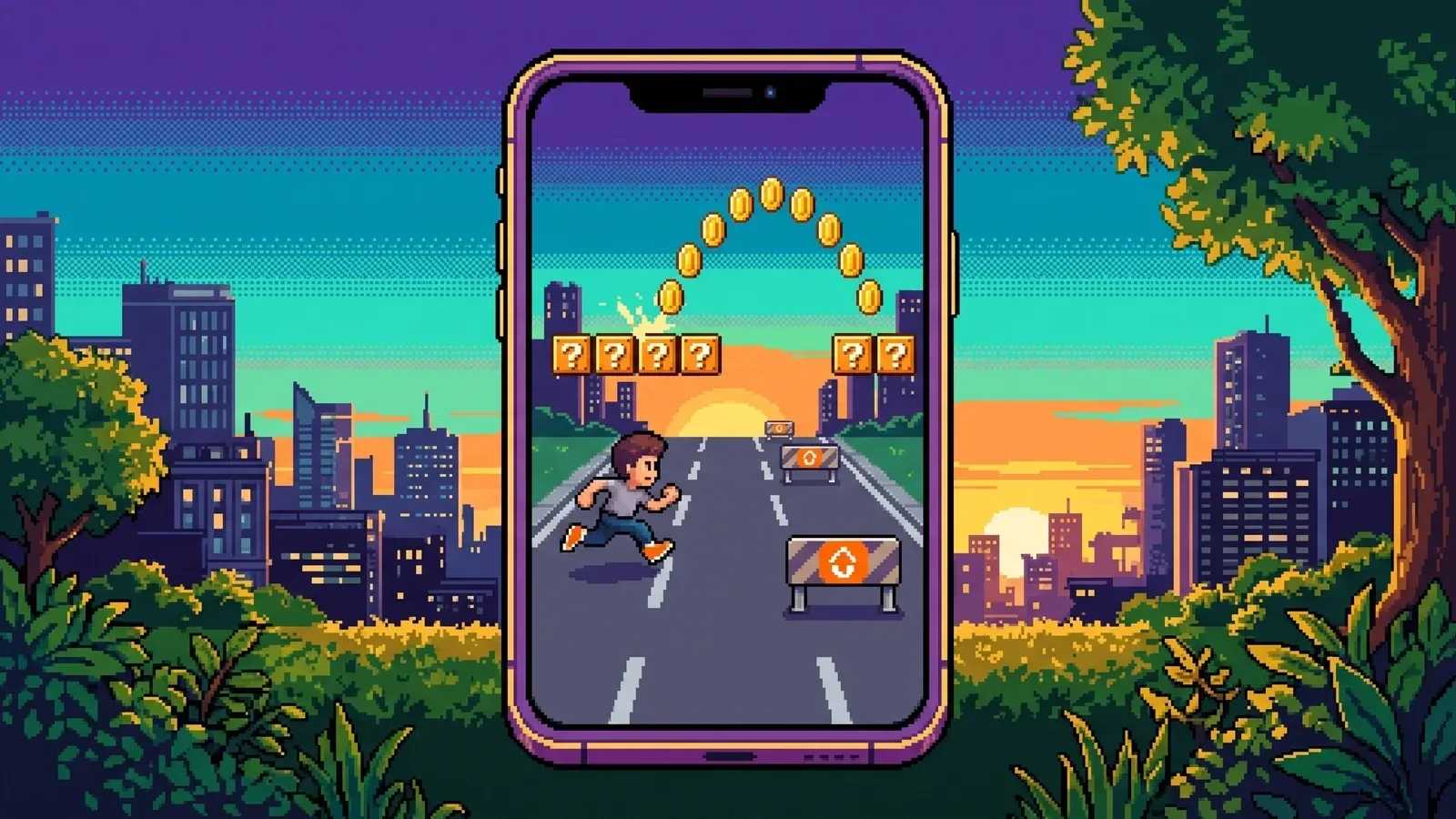
Endless runners are the best first project for an AI game maker. The loop is famous, the verb list is tiny, and the whole thing lives or dies on feel — which is exactly the part you can tune without writing code.
This guide shows how to make an endless runner with AI, mobile-first: the starter prompt, what to check on the first play, which values to tune, and how to get it onto a real Android phone.
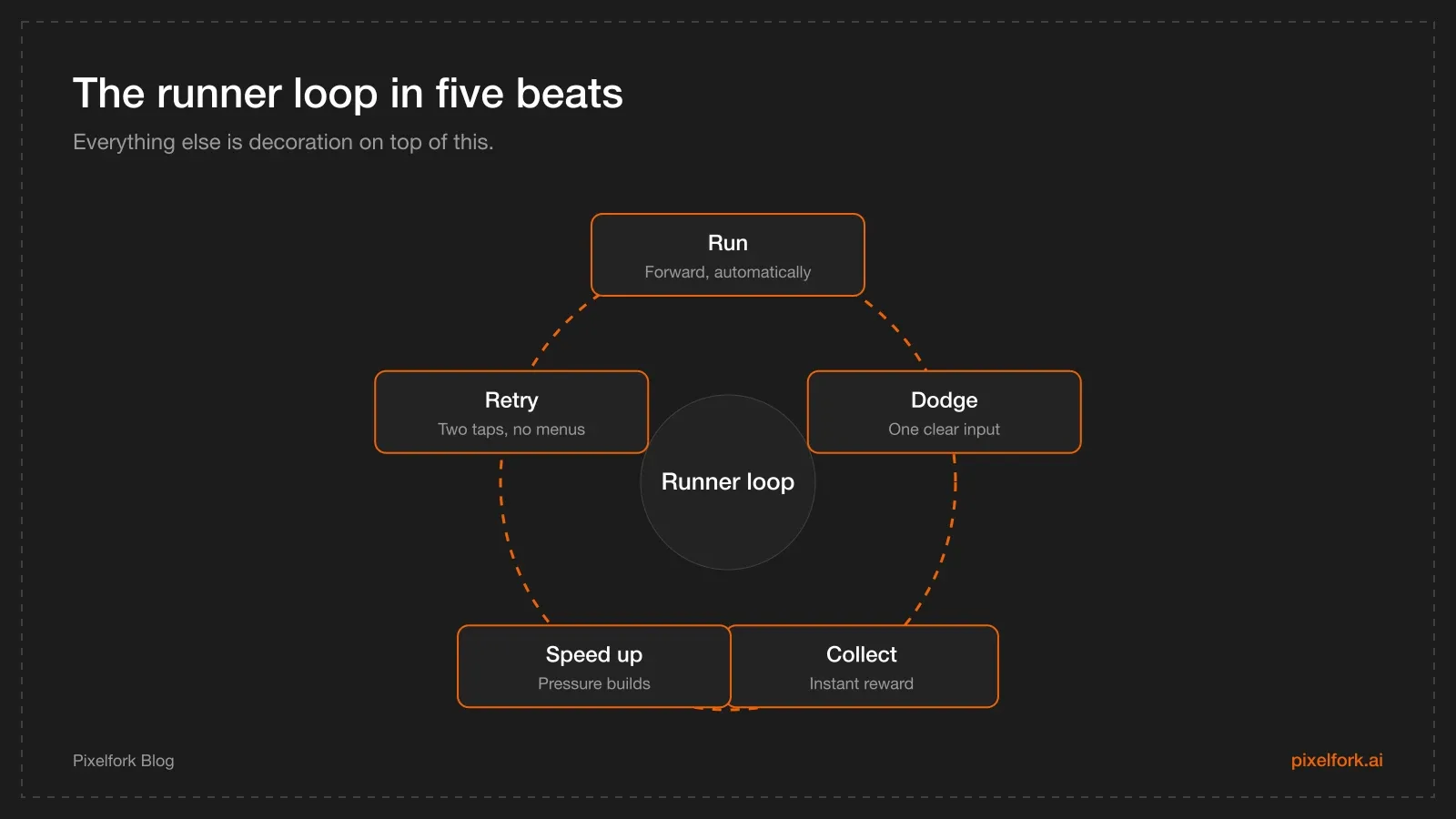
Five beats, repeated until the player misses.
What "endless runner" means for a version one
Keep the scope brutally small:
- One core action. Jump, or change lane. Not both plus a slide plus a dash.
- One fail state. Hit an obstacle, run ends.
- One score. Distance or coins — not three currencies.
- One twist, at most. A magnet power-up, a double jump, a day/night shift.
Everything you add before that core feels good is work you'll probably throw away.
Choose Mobile / Tablet, then write the first prompt
Before generating, Pixelfork asks whether you're building for Desktop or Mobile / Tablet, and the choice can't be changed later. For a runner you intend to test on Android, choose Mobile / Tablet.
A starter prompt that usually lands close:
Make a 3D endless runner for mobile with the camera behind the player.
The character runs forward automatically along three lanes; swipe left and right
to switch lane and tap to jump.
Obstacles are barriers and low walls; hitting one ends the run.
Coins add to the score, and the run speed increases slowly over time.
Art style: bright low-poly city, sunny afternoon, strong colour contrast
between obstacles and background.
Runs should last 30 to 60 seconds.
Prefer 2D? Swap the first two lines for a side view with a single jump input — it's a simpler build and often reads better on small screens.
The first generation costs 2 credits, and each follow-up chat message costs 1, so it's worth spending a minute on this prompt. More patterns in the prompt library.
The first-play checklist
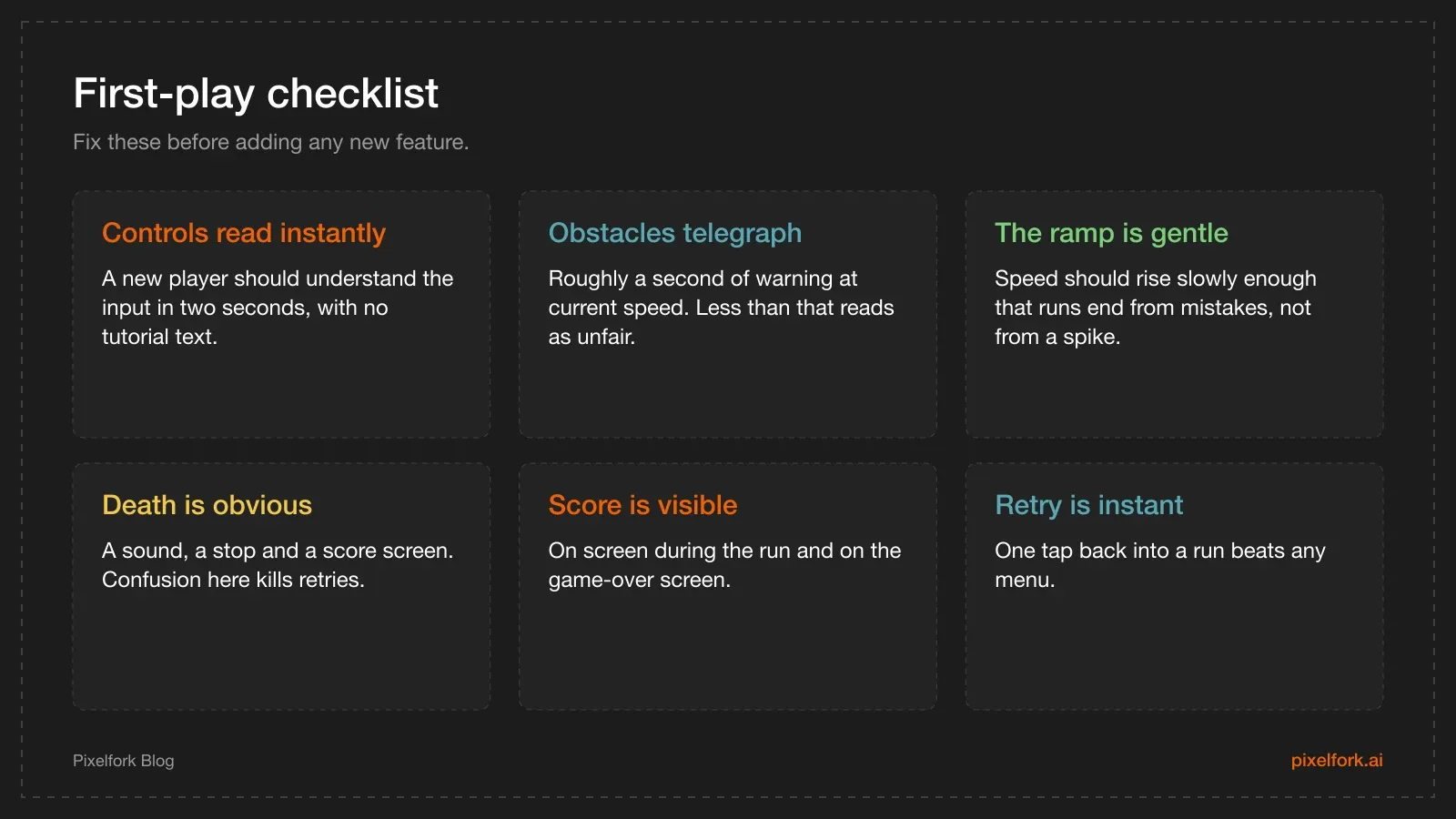
Six checks, in this order, before anything else.
Play it ten times in the preview before you change anything. Most first generations are 80% right and fail on two things: the speed ramp is too aggressive, and obstacles appear too close to react.
Iterate without wasting credits
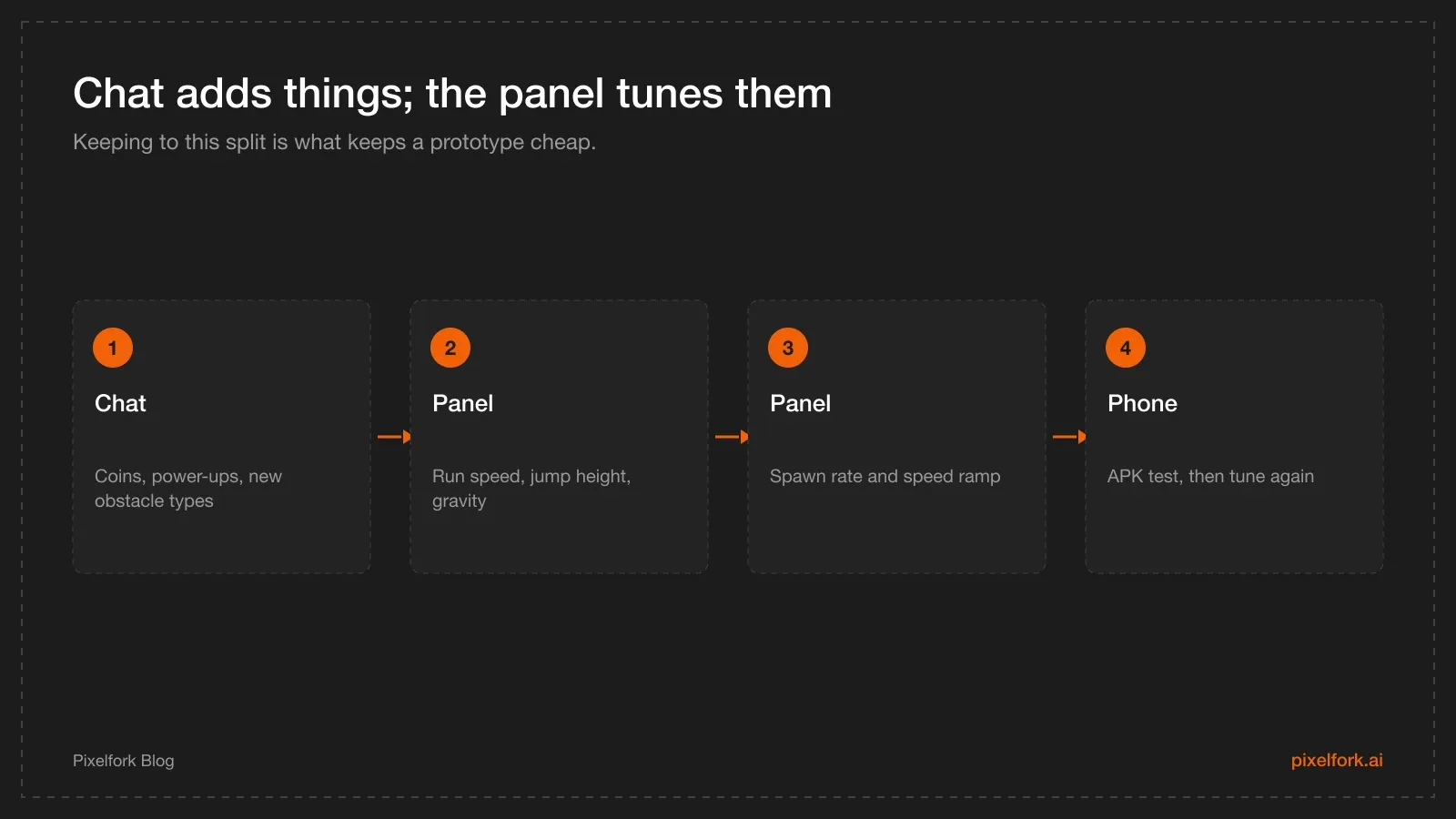
Structure in chat, numbers in the panel.
Use chat for structure. Good early follow-ups:
- "Add coins that float above the lanes and a coin counter in the top right."
- "Add a clear game-over screen with the score, the best score and a restart button."
- "Make obstacles appear far enough ahead that the player has about one second to react."
- "Add a magnet power-up that appears rarely and lasts five seconds."
Use the Mechanics panel for feel. Run speed, acceleration, jump height, gravity, obstacle spawn rate and lane-switch speed all belong here. Changes apply instantly and don't cost credits — the reasoning is in tuning game feel without burning credits.
Three tuning rules that hold for every runner:
- Jump height and gravity are one setting. If the jump feels floaty, raise gravity first, then raise jump height to compensate.
- Speed ramp before spawn rate. Increase one variable at a time, or you can't tell which one made it unfair.
- Lane switching should be faster than you think. Sluggish lane changes are the number one complaint on mobile runners.
Art and performance
Keep the art readable at phone size and light enough to hold a steady frame rate on a mid-range device: strong silhouettes, high contrast between obstacles and background, a small palette. You can attach a reference image in chat to steer the style, or upload your own assets and mention them with @ in a prompt.
If you want to understand what the browser is doing under the hood, our Three.js browser game guide and the mobile performance checklist both apply — a runner is a great place to keep draw calls low, because most of the world is repeated pieces.
Share, test and export
- Publish a playable link and send it to five people. Watch where they die first — that tells you if the ramp is fair.
- Export an APK and play it on a phone. Thumbs cover part of the screen; the preview never shows you that.
- Export an AAB when you're ready for the Play Console. APK vs AAB explains which is which, and closed testing covers the release gate.
Stretch goals, once the loop holds
- A daily seed so everyone runs the same course on a given day.
- Cosmetic skins (an ads or IAP question, so read the monetisation handoff first).
- A near-miss bonus that rewards dodging late — cheap to add, great for feel.
- A second obstacle type that forces a different input.
Designing obstacle patterns, not obstacles
A runner gets interesting when obstacles arrive in patterns rather than at random. Three patterns carry most of a first version:
- The single. One obstacle in one lane. Teaches the input.
- The pinch. Two obstacles leaving one safe lane. Teaches reading ahead.
- The stagger. Obstacles in alternating lanes, close together. Teaches rhythm.
Ask chat for them explicitly: "spawn obstacles in patterns instead of individually: a single, a two-lane pinch, and an alternating stagger, chosen at random with at least one clear lane at all times." Then tune the gap between patterns in the values panel until a good player is busy but not overwhelmed.
The rule that keeps a runner fair: there must always be a survivable path. If a pattern can spawn with no safe lane at high speed, players will feel cheated even if it's rare.
Scoring and progression
Distance alone is a weak score because it rewards time, not skill. Stronger options:
- Coins plus distance, with coins placed in slightly risky positions.
- A combo for near misses, which rewards confident play.
- Multipliers that build while you avoid collecting, giving players a risk decision.
For progression between runs, the cheapest meaningful hook is a best-score display and one unlock at a milestone. Bigger systems — shops, currencies, daily quests — are live-ops features; they need monetisation plumbing and a lot more tuning than a first version deserves.
Performance notes specific to runners
Runners are repetitive by nature, which is good news for performance:
- Reuse the world. Recycle track and obstacle pieces as they pass behind the camera instead of creating new ones.
- Keep the draw distance short and fade the horizon; players never look that far ahead.
- One material, many pieces. Fewer distinct materials means fewer draw calls.
- Watch particle counts. Coin sparkles look great in the preview and cost frames on a five-year-old phone.
Ask chat for these directly — "reuse track segments instead of spawning new objects" — and verify with an APK on the oldest phone you can borrow. The mobile performance checklist has the general version.
A playtest script
Give a tester the phone and say nothing beyond this:
- Play five runs.
- After run one: what were you trying to do?
- After run three: which death felt unfair?
- After run five: would you play a sixth? Why not?
Then fix in this order: anything that confused them, anything that felt unfair, and only then anything that felt boring. Confusion and unfairness are bugs; boredom is a design question you can spend a week on.
Adding a second input, carefully
Once the single input feels good, one more verb adds depth without doubling scope. Good second inputs for a runner:
- Slide under obstacles (pairs naturally with jump).
- Lane dash for a quick sideways move with a cooldown.
- Charge jump by holding, for longer gaps.
Add exactly one, and give it its own obstacle type so players learn it by need rather than by tutorial. If a tester finishes three runs without ever using it, either the obstacles don't demand it or the input isn't discoverable — both are fixable, and both are worth fixing before you add anything else.
FAQ
Should I prompt for a 2D or 3D runner first?
2D is easier to read on a phone and quicker to tune; 3D looks more impressive and suits lane-based designs. If this is your first project, start 2D side-view, get the feel right, then try a 3D version as a separate game.
How do I add swipe lane controls?
Ask for them explicitly in the prompt or a follow-up: "swipe left and right to change lane, tap to jump". If the generated game uses keyboard input, say "replace keyboard controls with touch swipes and taps" — mobile input should be stated, never assumed.
Why does my runner feel floaty?
Usually too little gravity for the jump height. Raise gravity in the Mechanics panel first and re-test; then raise jump height if the character can no longer clear obstacles. Tune them as a pair.
Can I publish an endless runner to Google Play from an AI tool?
Yes, if the tool exports an Android App Bundle. Pixelfork exports APK for testing and AAB for submission, then you complete the listing and testing requirements in Play Console yourself.
How many credits does a decent runner prototype take?
A focused build — one strong first prompt plus a handful of structural follow-ups — stays in the low single digits of credits, because all the numeric tuning happens in the panel for free. Exploratory sessions cost more.
Is it a problem if my game feels like a famous runner?
Mechanics aren't owned by anyone, so a lane-based runner is fair game. Copying a specific game's characters, art, names or music is not. Describe the mechanic you want, not the game you're imitating.
Paste the starter prompt into Pixelfork on Mobile / Tablet, tune the speed ramp in the panel, and get an APK onto your phone before the week is out.