Make a Hypercasual Game with AI (One-Tap Loops)
Hypercasual wins on clarity, not content. Here's how to design a one-verb loop, prompt it, tune the first ten seconds, and validate it on a real phone.
Hypercasual games look easy to make and are hard to make well. There's nowhere to hide: one mechanic, a few seconds to hook someone, and no story or content to distract from how it feels.
That's also why AI tools suit the genre. Generating a single-verb loop is the thing they're best at, which leaves you free to do the work that actually decides success: scope control and feel. Here's how to make a hypercasual game with AI, end to end.
Design brief: one sentence, one verb
Write your game as one sentence with three parts — the verb, the fail condition, and the score:
Tap to switch direction between two walls; touch a saw blade and the run ends; score one point per bounce.
If you can't fit it in one sentence, cut until you can.
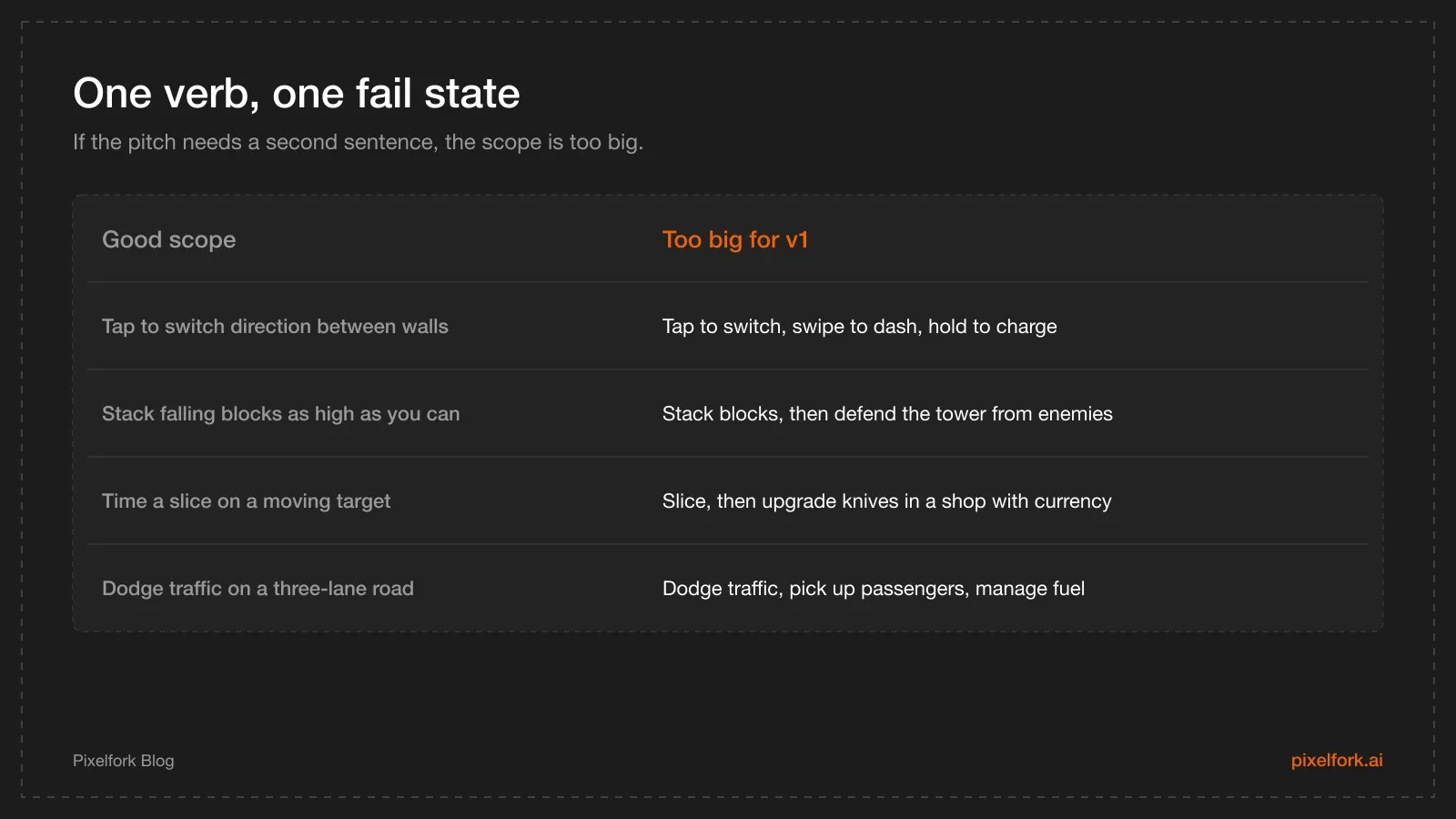
What fits in a version one, and what doesn't.
Prompt patterns for hypercasual
Pick Mobile / Tablet when creating the game (the choice is locked afterwards), then paste a starter prompt:
Make a one-tap hypercasual game for mobile, side view.
A character bounces between the left and right walls; tap anywhere to switch direction.
Spinning saw blades move across the gap; touching one ends the run.
Score one point per wall bounce, with a combo bonus for five in a row.
Art style: flat minimal shapes, pastel background, thick outlines, no text on screen.
Sessions last 15 to 45 seconds.
Other one-verb starters worth trying, all original rather than clones:
- Stack: "Blocks slide across the screen; tap to drop one on the stack. Overhang is trimmed off. The tower ends the run when a block misses entirely."
- Timing: "A marker sweeps across a bar; tap inside the green zone to score. The zone shrinks every five successes."
- Dodge: "Drag left and right to steer a ball down a narrowing tunnel; hitting a wall ends the run."
- Merge-lite: "Tap two adjacent matching shapes to merge them into the next shape up; the board fills over time."
Then keep chat for structure and move numbers to the Mechanics panel — the split that keeps credits low is explained in tuning game feel, and more prompts live in the prompt library.
The first ten seconds test
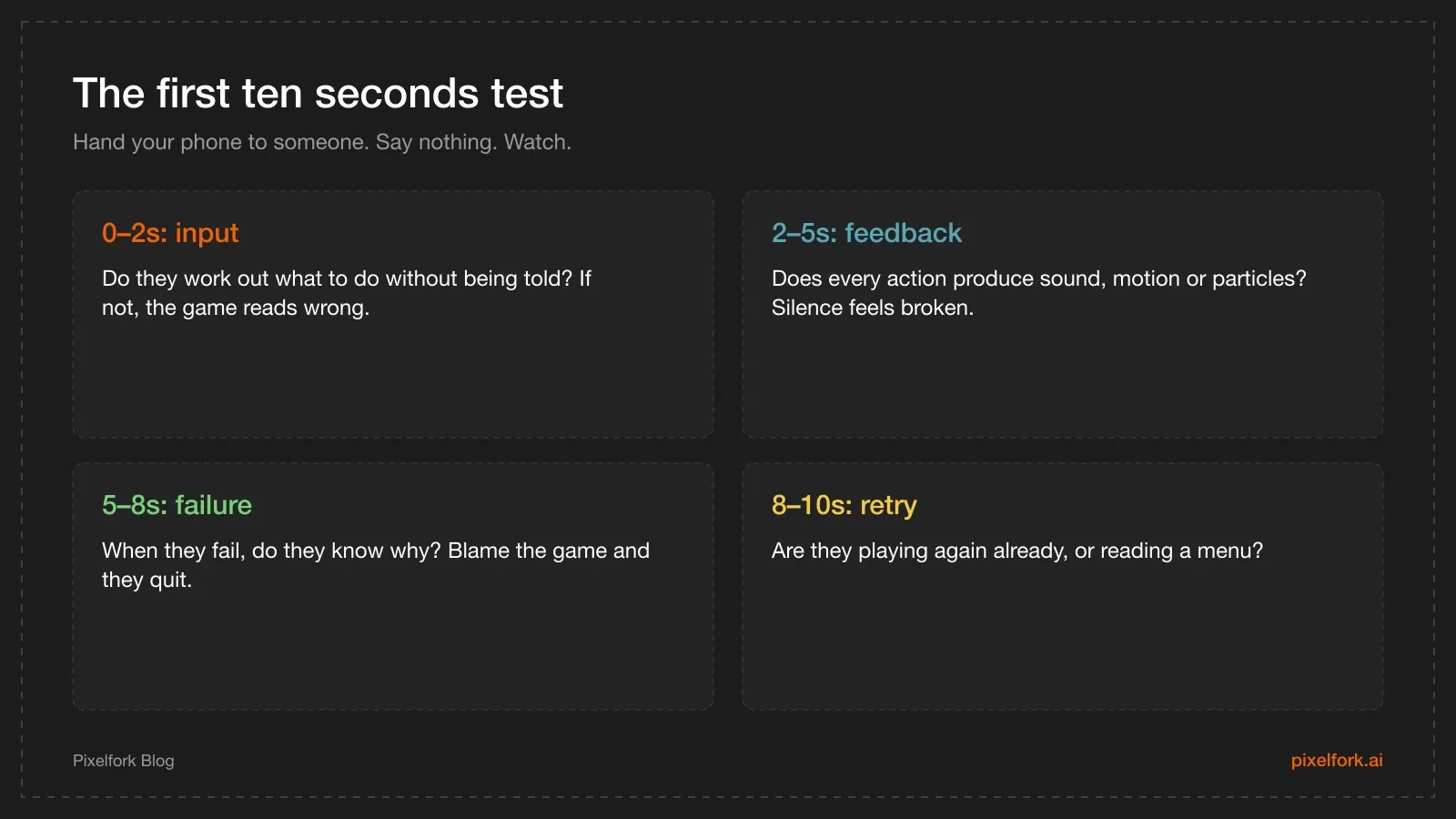
Four checkpoints, ten seconds, no explanations allowed.
Do this with three people who have never seen the game. Don't explain anything — if you have to, that's the finding. Watch their thumbs, not their face: hesitation means the input isn't obvious.
Juice without new features
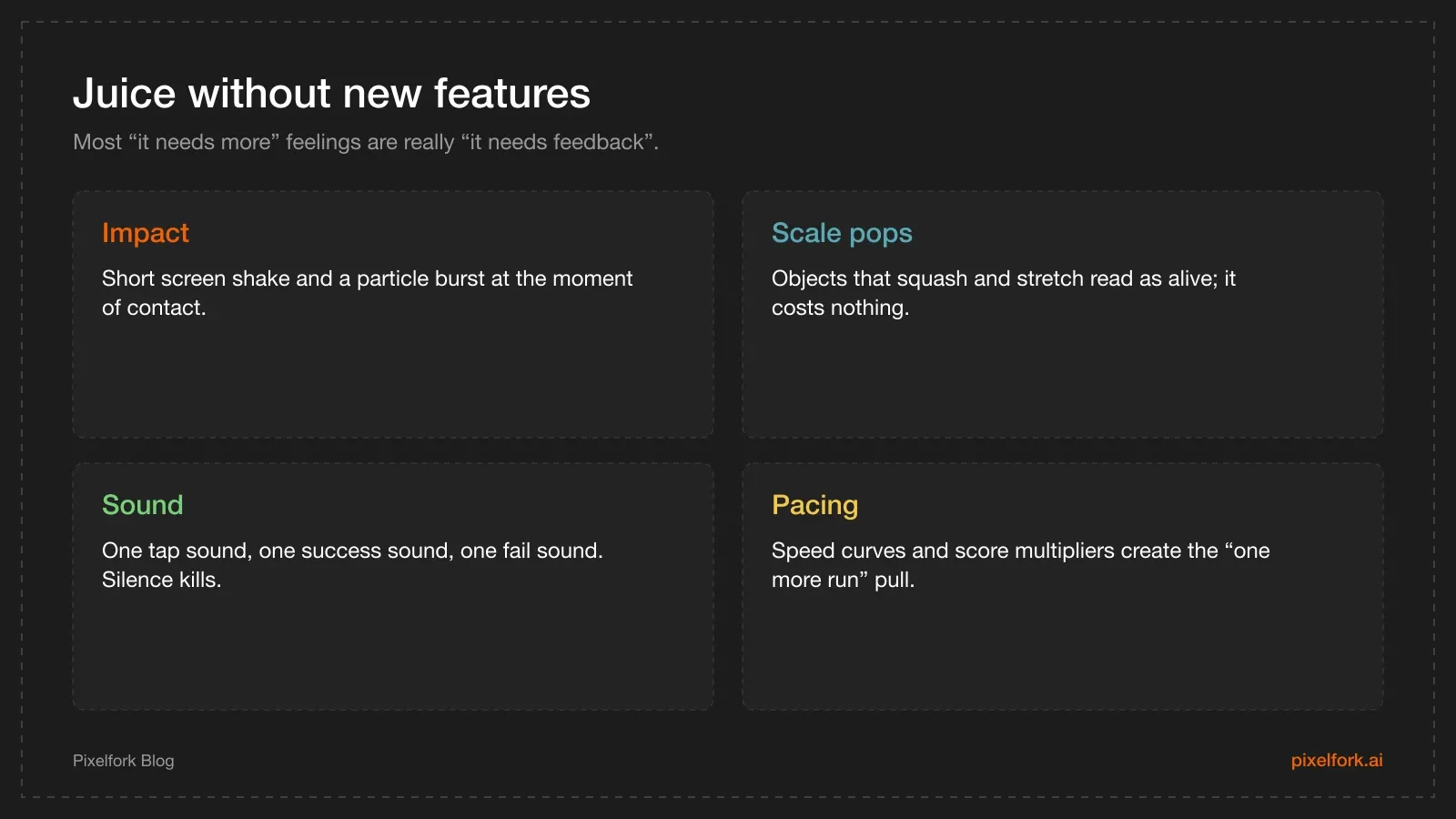
Feedback is usually what's missing, not content.
Good follow-up prompts for feedback:
- "Add a short screen shake and a small particle burst when the player scores."
- "Make the character squash slightly on impact and stretch when moving fast."
- "Add simple sounds: a tap sound, a score sound and a fail sound."
- "Show the score large in the centre-top and the best score smaller beneath it."
Then tune the numbers — speed, spawn interval, combo window, difficulty ramp — in the panel until a run feels tense by the twentieth second.
Validate before you build anything else
- Publish a playable link. Send it to five people who play mobile games. Ask two questions: what did you think you were supposed to do, and when did it get boring?
- Export an APK and play it on a phone, one-handed, on the sofa. That is how your players will hold it.
- Watch the fail curve. If everyone dies in the first five seconds, your ramp starts too high. If nobody dies in a minute, there's no tension.
- Then iterate. Hypercasual lives or dies here, not in the feature list.
If the loop still doesn't hook anyone after two rounds of tuning, start a different one-verb idea. That's not failure — that's the genre working as intended.
Monetisation comes last
Hypercasual games are usually ad-supported, sometimes with a "remove ads" purchase. Wire that in after the loop is fun, because ad placement decisions depend on session length and retry pacing.
Ads and in-app purchases are native integrations: export the full Android Studio project and add them there — see adding ads and IAP after an Android Studio export. For the design side of ad placement and formats, our monetisation strategies guide and ad mediation explainer go deeper.
Finding an idea worth prototyping
Hypercasual ideas come from verbs, not themes. A method that works:
- List ten physical verbs. Flick, stack, balance, slice, dodge, merge, aim, stretch, fill, sort.
- Pair each with a constraint. Stack while the tower sways. Slice a moving target. Fill a shape with limited paint.
- Say the result out loud in one sentence. If it needs two, drop it.
- Prototype three of them, not one. Most ideas feel worse than they sound, and you learn that in twenty minutes each.
Because generation is cheap and fast, three rough prototypes cost less than one over-polished idea you're emotionally attached to.
Retention hooks that don't need live-ops
Hypercasual retention is thin by design, but a few cheap hooks help:
- A best score, always visible. The simplest reason to play again.
- A near-miss counter or combo. Rewards confident play and creates stories.
- One unlock at a modest milestone. A colour, a skin, a new background — cosmetic only.
- A fast restart. The most important retention feature in the genre: one tap, no menu, no ad.
Anything more — daily rewards, energy systems, shops — is live-ops, and live-ops needs analytics and monetisation plumbing before it earns its complexity.
Designing sessions that ads can live in
If ads will eventually pay for the game, session design decides how much they earn without ruining it:
- Runs of 20–60 seconds create natural ad breaks between attempts.
- A meaningful continue. "Watch to continue" only works if losing the run actually hurts — which means the score has to climb steeply.
- Cluster rewards. A doubled score at the end of a good run beats interrupting a bad one.
- Cap interruptions per minute. A player who sees two full-screen ads in ninety seconds is gone.
Design the pacing now, wire the ads later. That order is much cheaper than the reverse.
Know when to stop
Most hypercasual prototypes should be abandoned, and that's the genre working. Write your kill criteria before you start:
- Nobody plays a third run voluntarily.
- Testers can't describe the goal after ten seconds.
- Two rounds of tuning haven't changed how it feels.
- You can't explain the game in one sentence any more.
If you hit two of those, start the next verb. The cost of a wrong idea is now an afternoon, which is exactly why this workflow is worth using.
Naming and first impressions
In a store full of similar games, the name and icon do the work your trailer can't:
- Name it for the verb, not the theme: what the player does is what they're searching for.
- Keep it short — long names get truncated on the home screen and in store listings.
- Icon with one readable shape, high contrast, no text. Test it at 48 pixels before you commit.
- First screenshot shows the moment, not the menu.
None of this rescues a weak loop, but a good loop with a forgettable icon is the most common quiet failure in the genre.
Testing on the right phone
Hypercasual audiences skew toward older and cheaper devices, so test there:
- Borrow a mid-range or three-year-old phone and treat it as your reference device.
- Play one-handed, standing up, the way people play on a bus.
- Check in sunlight — pastel palettes that look elegant indoors disappear outdoors.
If the game holds up in those conditions, it'll feel great on a flagship.
FAQ
What's the difference between hypercasual and an endless runner?
An endless runner is one genre inside the hypercasual family: automatic forward movement with dodge inputs. Hypercasual is broader — stacking, timing, merging, dodging — and defined by a single mechanic and very short sessions. See making an endless runner with AI for the runner-specific version.
How simple is too simple?
If a player can reach the score ceiling without learning anything, it's too simple. The test is whether skill improves with practice: better timing, better routing, better risk decisions.
Should I start in 2D or 3D?
2D. Hypercasual reads best with flat shapes and high contrast on a small screen, and 2D is faster to tune. Move to 3D only if the mechanic genuinely needs depth.
When should I add ads?
After the loop is fun and sessions are the right length. Interstitials during the first minute are the fastest way to lose a new player; rewarded ads tied to a continue or a bonus are usually the gentler start.
Can I soft-launch with only a playable link?
You can validate the loop that way — it's fast and free. But retention, ad revenue and store conversion only become measurable once the game is installable, which needs an Android build and a Play listing.
How do I avoid copying a hit game's IP?
Describe mechanics, not games. "Tap to switch direction between walls" is a mechanic; the characters, names, art style and music of a specific title are not yours to reuse.
Ship one mechanic this week: create it on Pixelfork, tune the first ten seconds, then put an APK in someone's hand.